
Setting Up Your Coinbase Account
A quick walkthrough to access your crypto benefits
Account Setup Overview
Three simple steps to get started
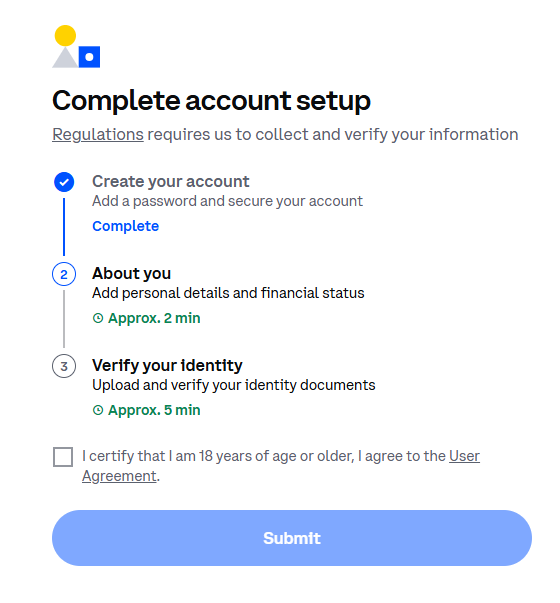
What you'll see: Coinbase shows you the three steps upfront:
- Create your account - Set up password (already done if you clicked the link)
- About you - ~2 minutes of basic info
- Verify your identity - ~5 minutes for ID verification
Location Information
Confirm your citizenship and residence
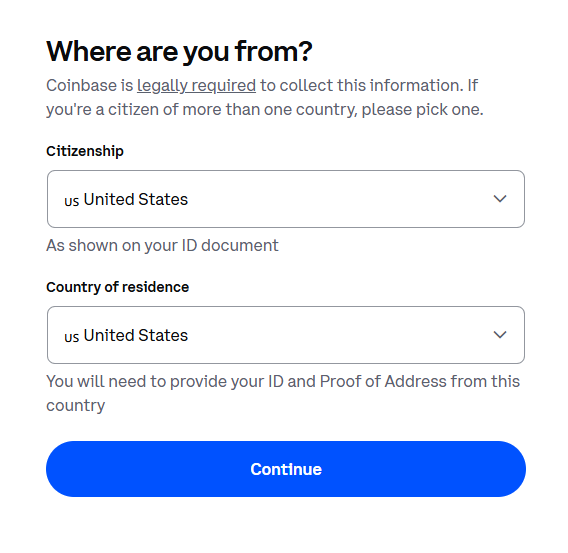
Why this is needed: Federal regulations require financial services to know where you're located.
Just select your country from the dropdown - most users will select "United States" for both fields.
Identity Verification
Last 4 digits of your SSN
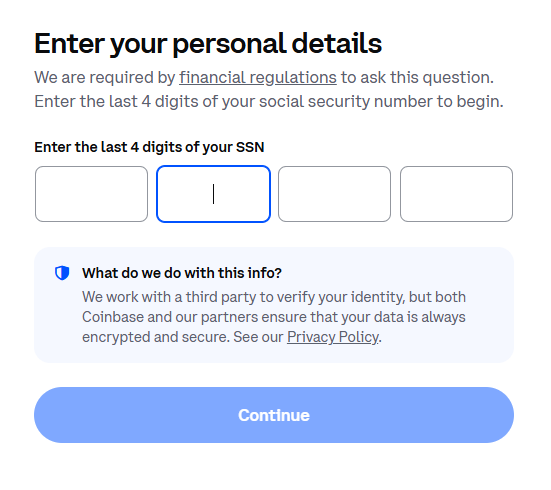
Security note: Coinbase only asks for the last 4 digits of your SSN - not the full number.
This information is encrypted and used only to verify your identity with a secure third-party service. Coinbase takes data security seriously.
Confirm Your Information
Review and verify your details
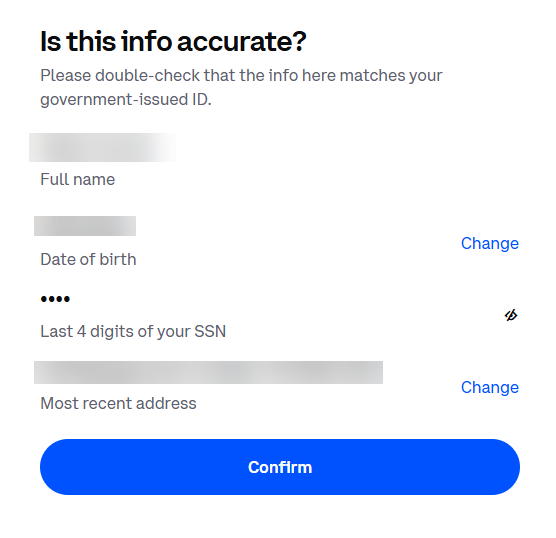
Double-check: Make sure your name and date of birth match your government ID exactly.
You can tap "Change" to correct any information before continuing.
Financial Information
Final regulatory questions
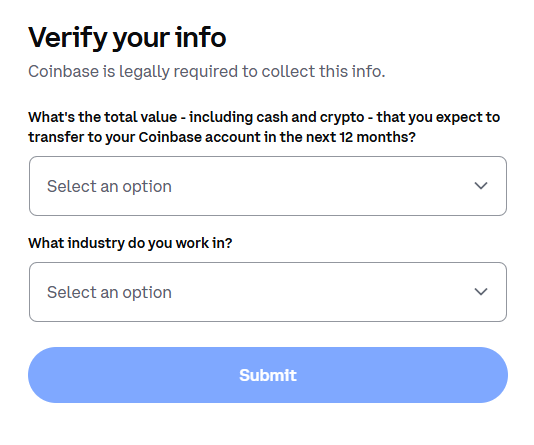
Almost done! These questions help Coinbase comply with financial regulations.
- Expected transfer amount - select the range that fits your situation
- Industry - just select what best describes your work
You're All Set!
After completing these steps, you'll have full access to your crypto benefits. Your account is yours to keep - even if you change jobs.
Frequently Asked Questions
Do I need to upload my ID?
For most users, the SSN verification is sufficient. Coinbase may request ID documents for larger transactions or additional verification.
Is my information secure?
Yes. Coinbase is a publicly-traded company (NASDAQ: COIN) with bank-level security. Your data is encrypted and protected.
What if I already have a Coinbase account?
Great! Just sign in with your existing account. Your employer contributions will appear automatically.
Can I use a different phone number?
The phone number must match what was registered with Astra by your employer. Contact your HR department if you need to update it.